Google Photos · 2022–2023
Backup experience
As the lead designer for the Google Photos Backup experience, I led the product direction and design of backup across iOS, Android, and web. I partnered with a PM and a team of 10 engineers to define our mission, vision, roadmap, and design experiences to grow backup usage and make the system easier to understand and trust.
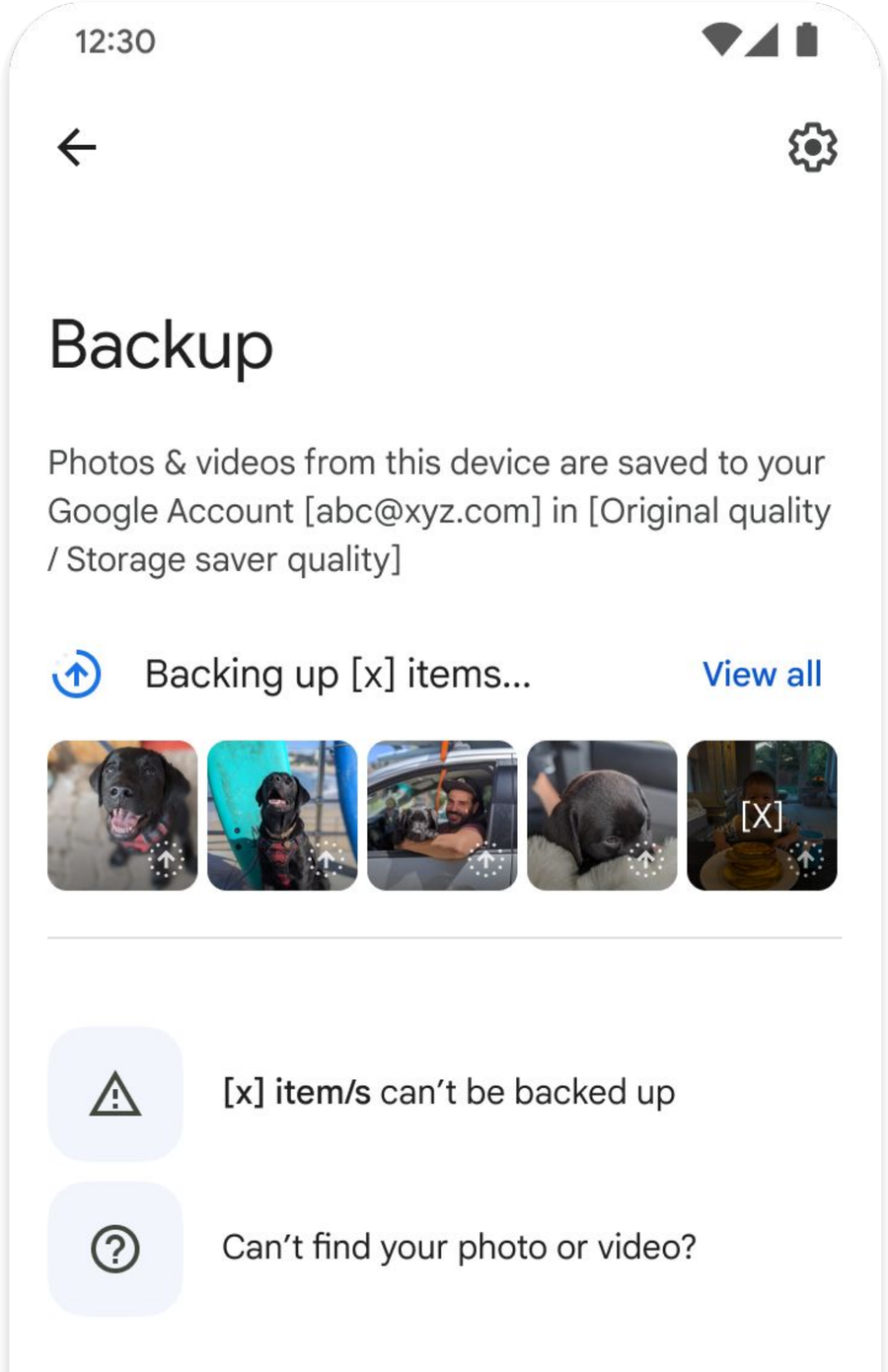
Role
Lead designer
Partners
1 PM, 10 engineers
Status
Shipped
1. The Setup
Backup is one of the most important promises Google Photos makes: your memories should be safe without you having to think about it.
But backup is also largely invisible. When everything works, there’s no reason to notice it. When it doesn’t, people are left with stressful high-stakes questions: Are my photos actually backed up? Which are safe? Why did backup stop? What do I do now?
When I joined the team, the mission was ambitious: “Provide a best-in-class backup experience to everyone on the planet.”
But we didn’t actually have a shared definition of what best-in-class backup meant, let alone a way to measure or design toward it.
At the same time, Backup was only one part of a much larger experience. The storage journey was split across three teams: Onboarding, Backup, and Upgrading. Each owned and designed a different part of it independently.
The three storage teams
Onboard
Reach
Where people first encountered and enabled backup. Sustainably acquire and retain backed-up users.
Backup
Experience
Where they relied on it day to day. Deliver a trusted, reliable, understandable and personalized backup experience.
Upgrade
Grow
Where storage limits and paid plans hit. Grow the subscriber base.
When I stepped in, I was responsible for the middle: the experience of actually backing up your photos. But I quickly realized we couldn’t define a great backup experience in isolation. A user experiences one continuous relationship with Google Photos, not our org chart. So my first priority was to bring the three teams together.
I organized and facilitated a cross-storage workshop with product experts from each area. Together, we mapped the end-to-end experience of a Photos user: from first encountering backup, to relying on it every day, to reaching their storage limit.
The result was our first shared view of the full backup and storage journey.
Workshop output; cross-storage journey map
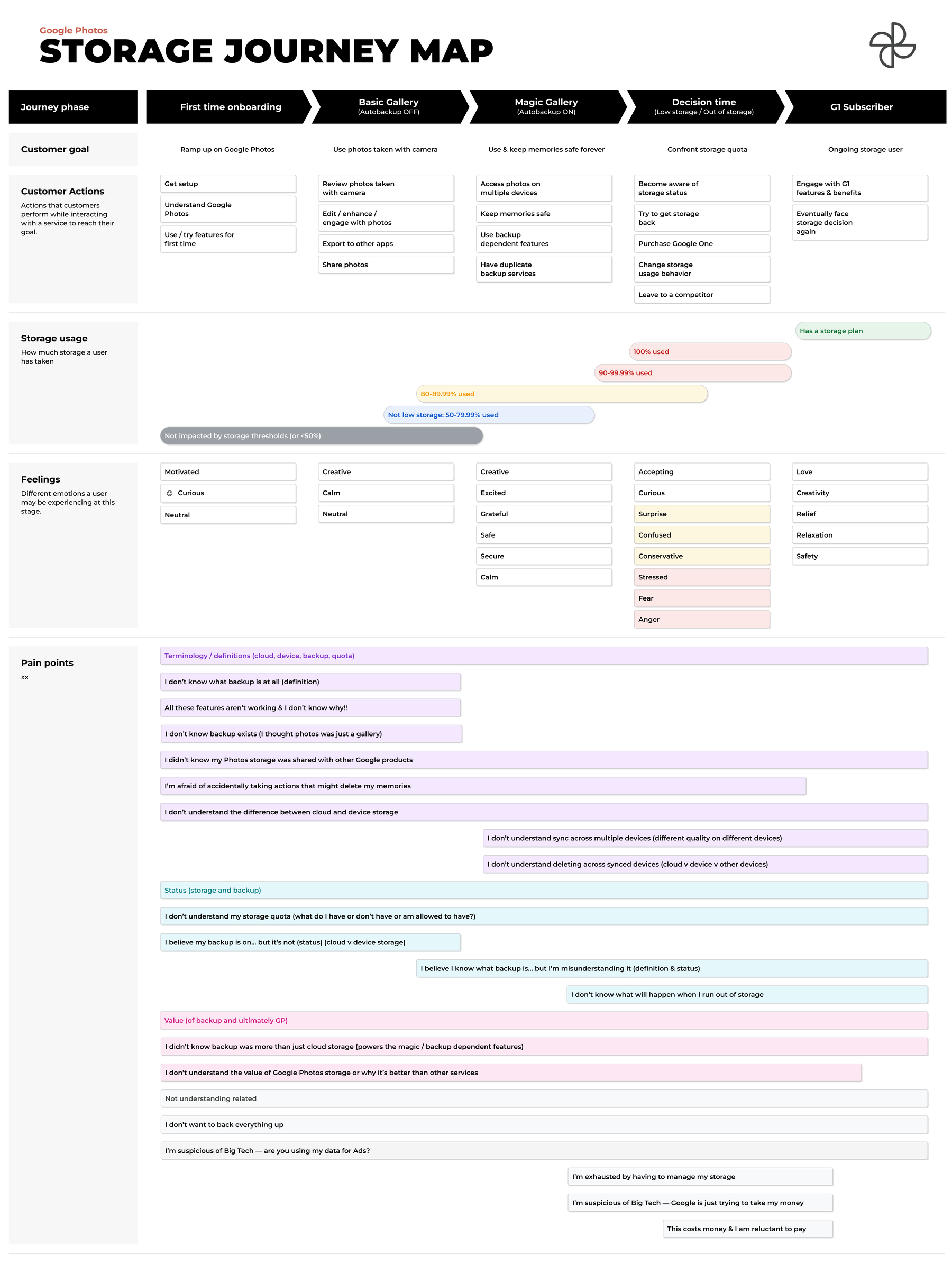
Across that journey, three recurring problems emerged:
- Terminology & mental models. Users struggled to understand what backup actually was, how cloud and device storage differed, and concepts like syncing.
- Status & visibility. Users weren’t always sure whether backup was on, whether their photos were safe, or what would happen when they ran out of storage.
- Value. Many users didn’t realize that experiences like Search and Memories became more useful when photos were backed up, or understand why they might need more storage.
2. Defining “best-in-class”
With the journey mapped, I led the Backup Engineering and PM team to turn those problems into a shared definition of what a healthy backup experience is.
We landed on four pillars:
The four pillars
Trust
Do I trust Google Photos to keep my memories safe?
Reliability
Does backup consistently work the way I expect it to?
Understandability
Do I understand what backup is, what it’s doing, and why it matters?
Personalization
Does backup adapt to what I actually want to save?
Instead of treating “best-in-class” as an abstract aspiration, we now had a framework we could measure against, and a clearer way to decide what to build.
3. Turning the framework into shippable designs
I then led the team through a second planning workshop to define how we could measure each pillar and brainstorm the product work most likely to improve it.
The following decks are the detailed UX thinking and designs for each pillar.